Miruform
A focused, local-first reference studio and gesture trainer designed for fine artists, animators, and illustrators.
Miruform combines a high-speed observational reference viewer with intelligent spaced repetition (SM-2 variant), timed gesture drills, tactile memory flash recalls, and observational critique filters—running 100% locally on your machine with a strict 0.0% idle GPU footprint.
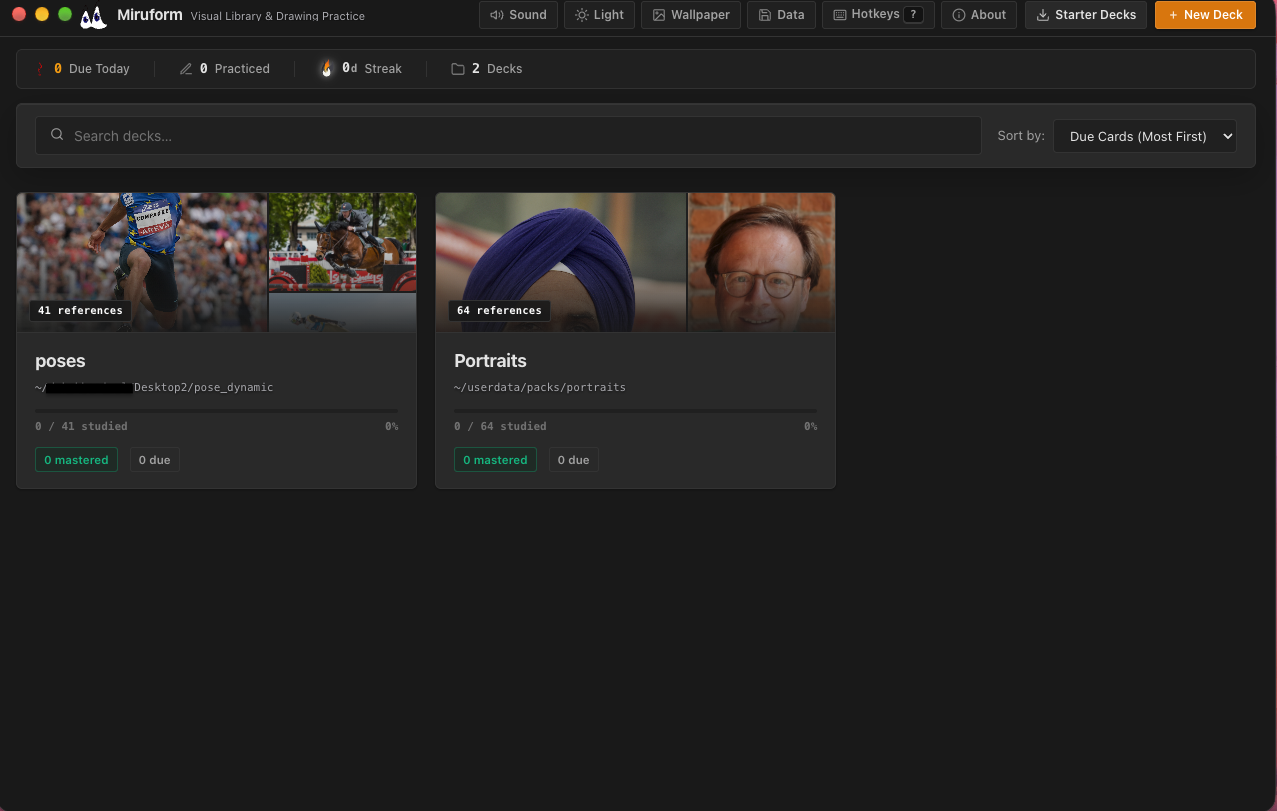
Key Features
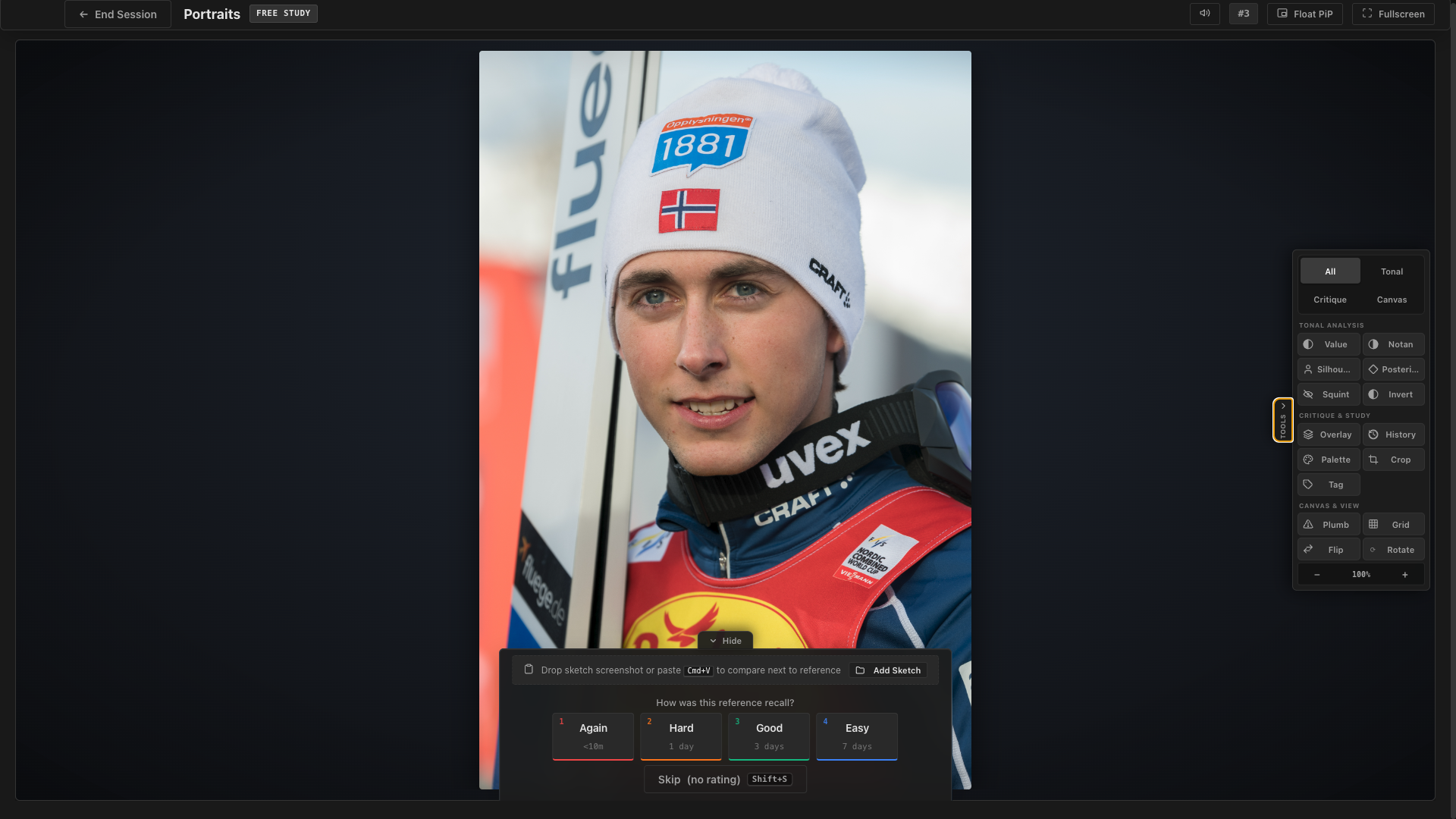
1. Observational Reference Study & Spaced Repetition (SRS)
- Anki-Style SM-2 Scheduling for Art: Cards resurface right as visual memories begin to decay.
- Difficulty Grading: Rate studies as Again (1), Hard (2), Good (3), or Easy (4) with mathematical mean-reversion easing to prevent ease drift.
- Backlog Reflow & Leech Tags: Never get overwhelmed after taking time off; overdue cards re-stagger automatically, and challenging references receive
#leechtags for focused drilling.

2. Timed Gesture & Observational Drills
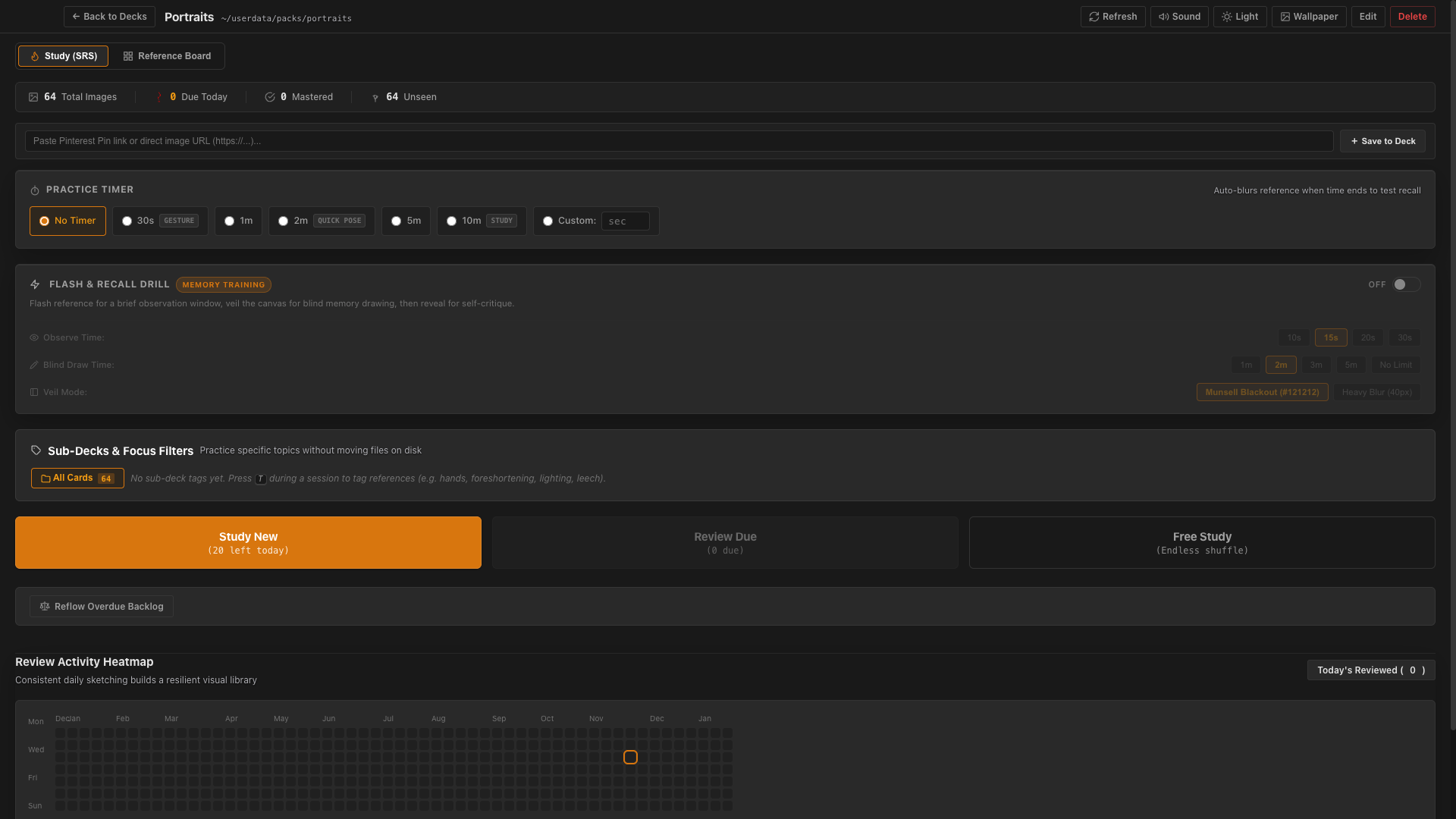
- Precision Gesture Sessions: Configurable 30s, 60s, 2m, 5m, or custom interval timers.
- Audible Metronome & Tones: Low-latency synthesized Web Audio tactile feedback for start, halfway, and time-up intervals.
- Flash & Recall (Memory Drill): Observe a reference for 10–30s, veil the screen into Munsell neutral blackout or heavy blur, execute a blind memory sketch, then reveal for self-critique.
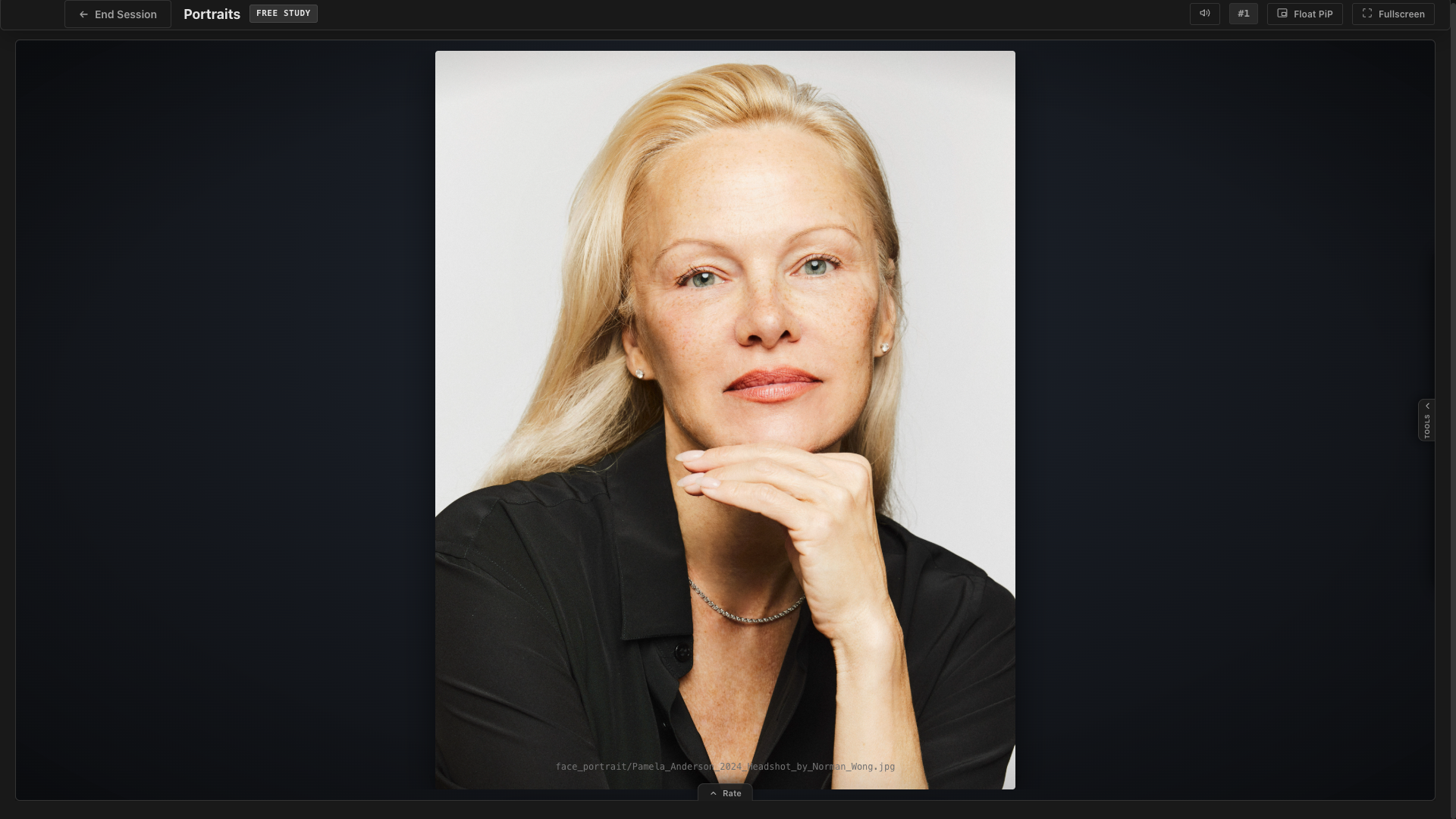
3. Atelier Optical Filters & Critique Tools
- Value Check (Grayscale): Strip hue distractions to verify big value masses and hierarchy.
- Notan Mode (2-Tone): Instant black-and-white thresholding for graphic readability and silhouette strength.
- Posterize (3–4 Steps): Reduce complex shading to clear light, halftone, and shadow shapes.
- Squint Blur: Optical softening of high-frequency detail to evaluate big form masses.
- Proportion Grid: 3×3 (Rule of Thirds), 4×4 (Quarters), 8×8 (Fine measure), and Diagonals.
- Plumb Lines & Angles: Shift-drag directly on the image to measure vertical falloffs and tilt angles.
- Onion-Skin Sketch Critique: Drag & drop or paste (
Cmd+V) your drawing attempt over the photo with Difference blending.
4. Interactive Reference Board & Slideshow
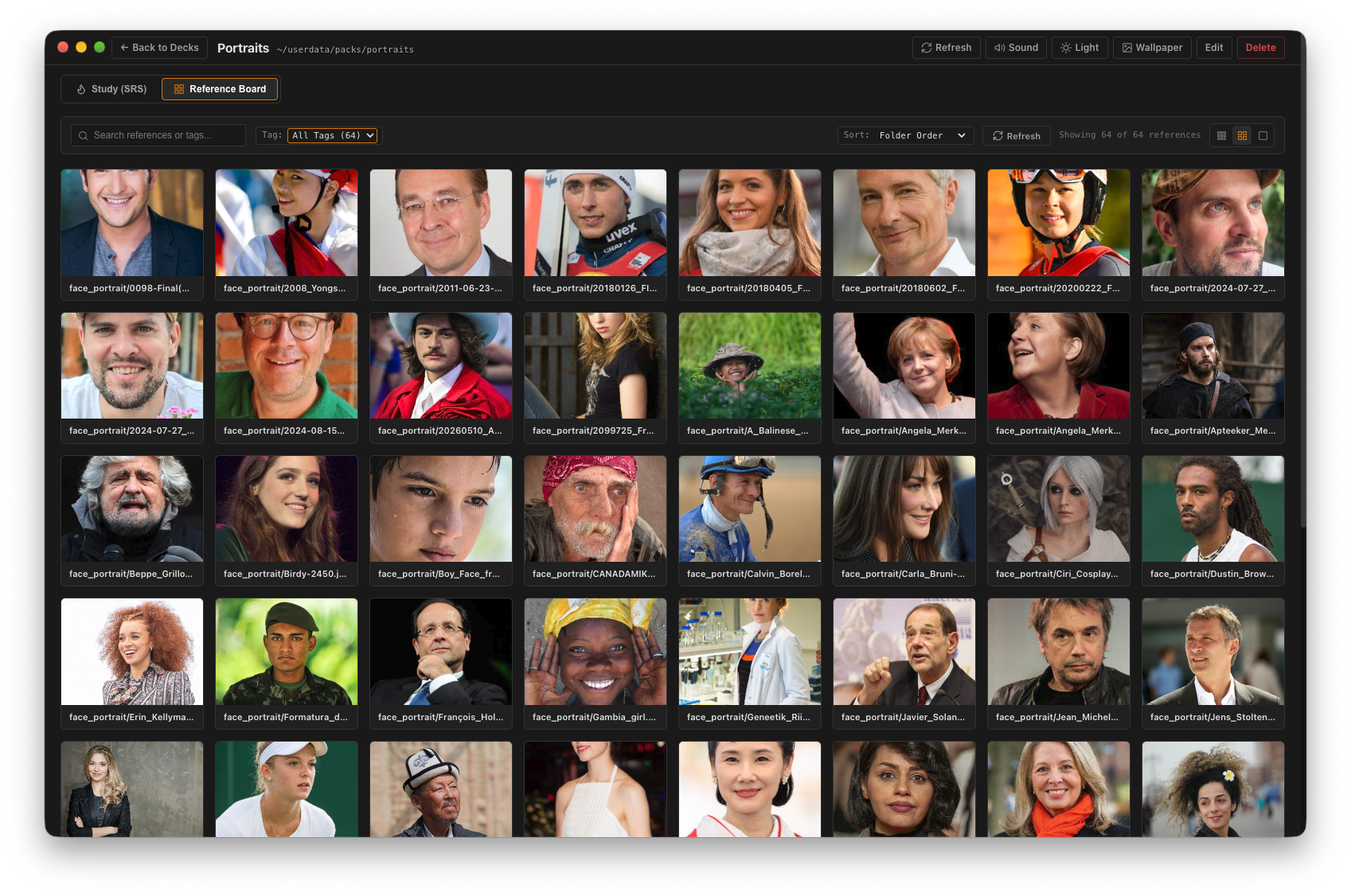
- Infinite Reference Canvas: Group, filter by tag, and search reference photos across folders.
- Zero SRS Contamination: Freely explore and study images on the board without altering card review schedules.
- Fullscreen Slideshow: Continuous background reference flow with customizable dwell times and instant pause/resume.
5. Native Desktop Studio Integration (Electron)
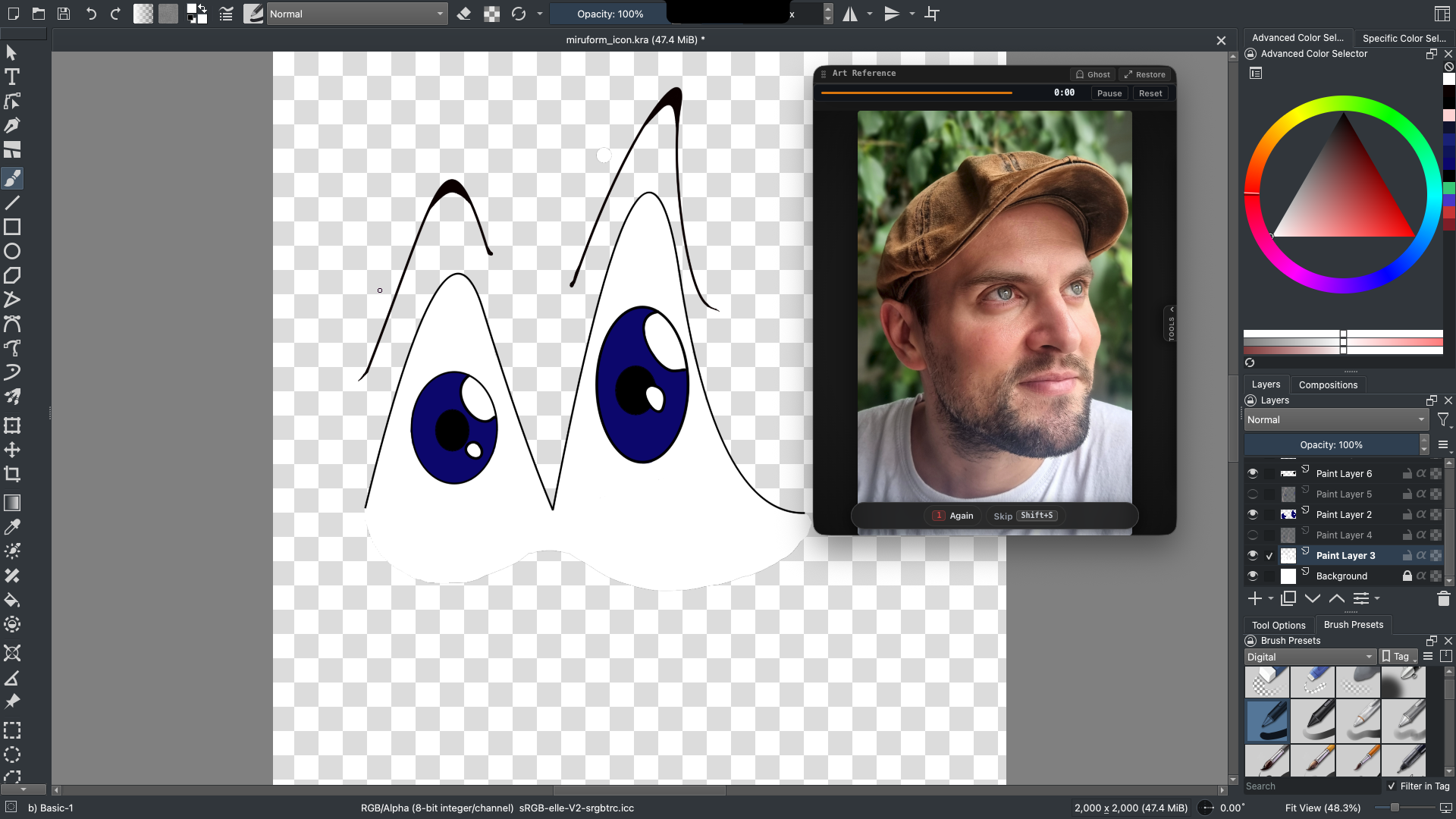
- Always-on-Top Floating Mode: Compact reference window floats unobtrusively beside Photoshop, Clip Studio Paint, Krita, Blender, or ZBrush.
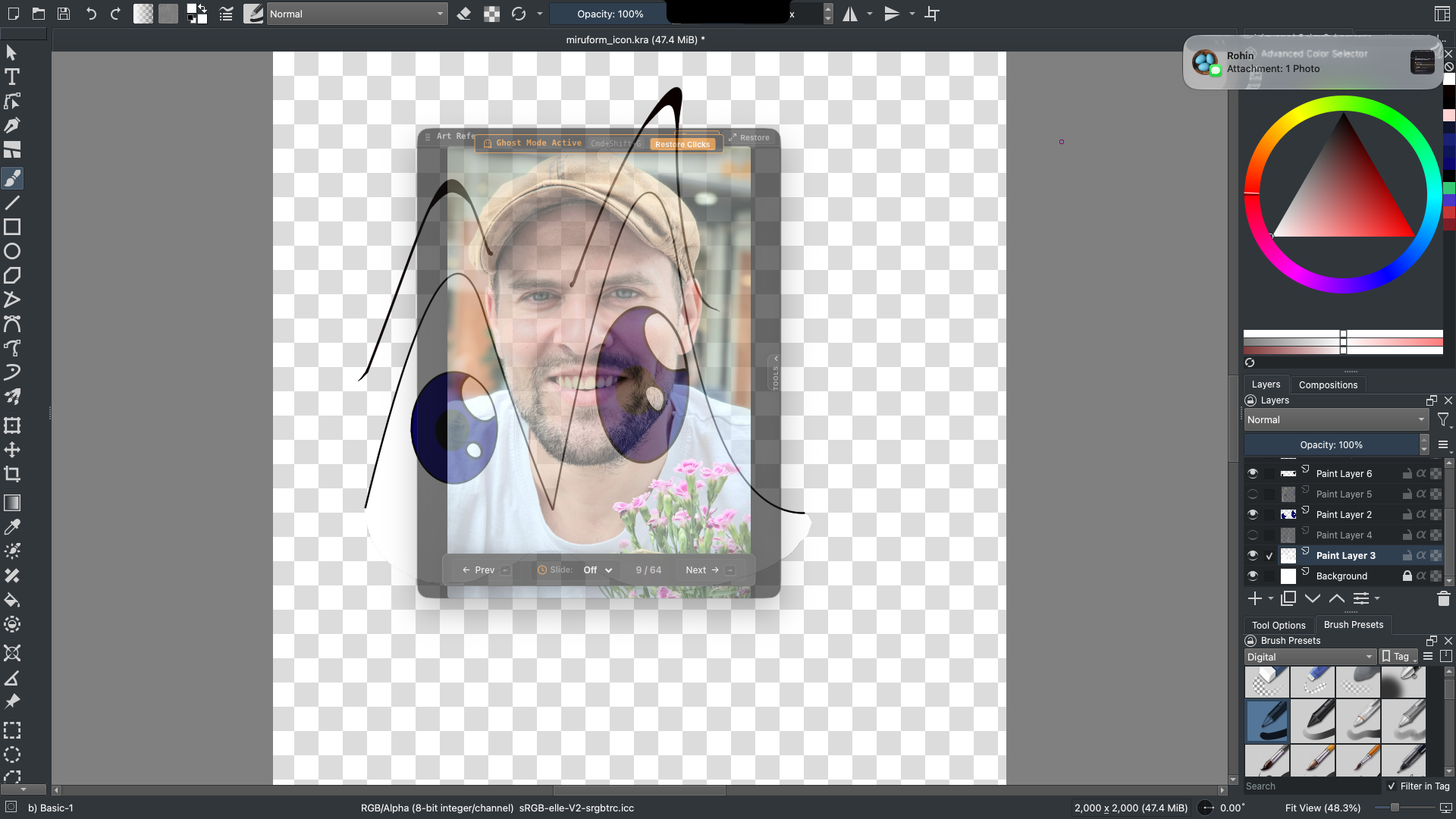
- Click-Through Ghost Mode (
CmdOrCtrl+Shift+G): Translucent reference floating directly above your digital drawing canvas without blocking cursor pen strokes. - Picture-in-Picture Support: W3C Document PiP (Chromium) and Video Canvas Streamer (Safari) fallback for browser sessions.
Core Philosophy
- 100% Local-First: Your image libraries, references, decks, and practice history stay entirely on your disk.
- Zero Cloud & Zero Accounts: No logins, no tracking, no subscription servers, no phone-home telemetry.
- Zero AI Scraping: Your private drawings and reference collections are never uploaded, analyzed, or shared.
- 0.0% Idle Footprint: Engineered with pure Munsell neutral dark tones (
#121212,#1A1A1A,#D97706), zero continuous CSS animations, and instant sleep when idle so creative drawing software gets 100% of your GPU and CPU.
Source-Available & Free Core
Miruform is source-available and free for personal use. All core learning tools, spaced repetition algorithms, gesture timers, critique filters, and reference boards are permanently free, fully unlocked, and without limits.
Building & Running from Source
Clone the repository and install dependencies:
# Install dependencies
npm install

# Start local server (browser mode at http://localhost:50860)
npm start

# Launch native desktop application (Electron mode)
npm run electron

# Run automated test suite
npm test
macOS Beta Releases & Gatekeeper Setup
Pre-built macOS beta releases use ad-hoc signing (no paid Apple Developer certificate). Because ad-hoc builds are not notarized through Apple servers, macOS Gatekeeper blocks the application on first launch.
Installing the App
- Open the downloaded
.dmgand drag Miruform into your/Applicationsfolder. - Double-click the app to open it. macOS will display a warning: “Miruform cannot be opened because the developer cannot be verified”.
- Open System Settings → Privacy & Security, scroll down to the Security section, and click Open Anyway. (On older macOS versions, right-click the app in Applications and select Open).
- Alternatively, remove the quarantine attribute directly in Terminal:
xattr -dr com.apple.quarantine "/Applications/Miruform.app"
Verifying Download Integrity (SHA-256)
Ad-hoc signing ensures the bundle has not been altered after building, but does not verify developer identity. Verify your download against the published SHA-256 checksum:
shasum -a 256 dist/*.dmg
Important Limits for Beta Testers
- Updates: macOS treats each newly downloaded build as an unknown app; you may need to repeat step 3 after installing updates.
- Auto-Updates: Because ad-hoc binaries cannot be notarized, Electron’s auto-updater is disabled. Update by downloading the new
.dmgrelease manually. - Security: The app is unnotarized by Apple. Do not assume it is verified just because it has an ad-hoc signature—always verify the published SHA-256 checksum.
Windows Installation & SmartScreen Setup
Windows beta releases are provided as an NSIS installer (Miruform Setup <version>.exe) and a standalone portable executable (Miruform <version>.exe).
Because pre-built beta releases are unsigned, Microsoft Defender SmartScreen will flag the application on first launch.
Installing & Running on Windows
- Download either the installer setup (
.exe) or the portable executable (.exe). - Double-click the downloaded file.
- When Windows SmartScreen displays “Windows protected your PC — Microsoft Defender SmartScreen prevented an unrecognized app from starting”:
- Click More info.
- Click Run anyway.
- Installer version: Follow the setup prompts to install Miruform to your system with Start Menu and Desktop shortcuts.
- Portable version: Move the
.exeto any folder of your choice and launch directly without installation.
Verifying Download Integrity (SHA-256)
Verify the file checksum against published release hashes using PowerShell or Command Prompt:
# PowerShell
Get-FileHash -Algorithm SHA256 "Miruform Setup 0.9.0.exe"
:: Command Prompt
certutil -hashfile "Miruform Setup 0.9.0.exe" SHA256
Building Desktop Packages (macOS & Windows)
To package the desktop applications locally from source:
# Build macOS DMG (arm64 & x64, ad-hoc signed)
npm run dist:mac

# Verify ad-hoc signature on generated macOS bundle
codesign -dv --verbose=4 "dist/mac-arm64/Miruform.app"

# Verify Gatekeeper rejection (expected for ad-hoc signing)
spctl --assess --type execute -v "dist/mac-arm64/Miruform.app"

# Build Windows installer and portable executables
npm run dist:win
Extension Ecosystem
Miruform includes a decoupled extension discovery hook. Optional add-ons can be placed inside:
userdata/extensions/<extension-name>/
Each extension provides a manifest.json declaring its entries. The host loads extensions with strict process boundaries:
- Frontend plugins load as same-origin scripts under Content Security Policy (
script-src 'self'). - Backend API routes mount strictly under
/api/ext/<id>/*guarded by the Origin Gate and Host Header middleware. - Desktop capabilities interface through prefixed Electron IPC channels (
ext:<id>:<channel>).
License & Legal
Miruform is source-available software licensed under the PolyForm Shield License 1.0.0.
Plain-English Summary (Not Part of the License)
[!NOTE] Plain-English Summary (Not Part of the License):
- Permitted: You are welcome to view, download, compile, modify, and run this software for your personal reference, educational studies, and artistic work. You can also build private extensions and customize it for your workflow.
- Noncompete Restriction: You may not use this software, or works based upon it, to build or distribute a competing product or service (such as commercial redistributions, paid forks, or hosted cloud services competing with the software or licensor).
For the complete, legally binding terms, see the official license text in LICENSE.
- Third-Party Attributions: See NOTICE for third-party licenses and credits.
- Contributing: Please review CONTRIBUTING.md for contribution guidelines and our Contributor License Agreement.